


Are you “AI-curious?”
You’re not alone. We’re seeing a lot of customers who wonder about the capabilities of AI but aren’t quite ready to take that first step.
Often, they simply don’t know where to start. Boyer can help with that.
We’ve spent the last three years immersing ourselves in the world of AI. We’ve learned a lot and have come up with some first steps and best practices based on what worked (or didn’t) in our own AI journey.
Here are three easy ways to get started with AI:
- Start using Copilot on your own.
- Upskill your team with an AI workshop.
- Use or create an AI agent.
Let’s dig a little deeper into each of these starting points to see what fits best with your company’s AI goals.
Start using Copilot on your own
You’ve got to get started somewhere with AI, and this is a simple first step anyone can do, even on your own. The more you use AI, the more you will understand how it works and what it can do.
Start with simple tasks such as:
- Drafting an email to a customer
- Summarizing key points in a recent meeting
- Finding information across communication channels
“What did Copilot say?” is a common phrase at Boyer these days. It’s not that we refuse to help a coworker; rather, it’s a way to get us all thinking “AI first” and working more efficiently. Asking Copilot before we reach out to a coworker benefits us in two key ways:
- First, it reduces our reliance on coworkers for those simple questions and often helps us get the answer we need a little faster.
- Second, it boosts confidence in our AI skills. We can test the results by double checking the answer with a coworker. When we see success from using AI in these low-risk situations, we can confidently move on to more complicated scenarios.

Why should I use Copilot?
Why use Copilot over any other chat experience? Boyer naturally started with Copilot because we’re a Microsoft shop, but the more we use it, the more we’re convinced it really is the best option for business use.
Here are just a few reasons why:
- Enterprise Data Protection: Because it embeds directly within your systems, Copilot can access your real-world data, giving you not just best guesses based on “what if” scenarios but actual, fact-based answers using your internal data. Accessing Copilot in “work” mode ensures it will surface company-approved and tested answers. Best of all, since it’s built within the Microsoft ecosystem, it maintains that world-renowned security of your company’s sensitive data.
- Built-in Learning: This one is not unique to Copilot, but it’s worth noting: Copilot can teach you how to use it. You can ask Copilot questions about itself, how it works and best practices. You can ask it to take your initial prompt and make it better. Basically, you can ask it to teach you how to use it.
- Access to Multiple LLMs: Copilot also plays well with others. On the left-hand side of your Microsoft 365 Copilot screen, you’ll see a section for Researcher, under Agents. You can use this tool to enhance Copilot’s capabilities. In Researcher mode, you can choose which Large Language Model (LLM) you want to use to surface answers, whether GPT or Claude.
Upskill your team with an AI workshop
If you know you want the company to adopt AI as a whole, another great option is an interactive workshop session. Trust the experts to help guide your team through real-world scenarios using best practices.
This is especially helpful to avoid those one-offs where employees are going rogue and using AI on their own with no guardrails in place.
Boyer offers multiple AI and Copilot workshops tailored to your company’s needs, including:
- We can help you set up Copilot for Sales and train your sales team on how to use it.
- We can set up Microsoft 365 Copilot across systems and guide you on best practices for Copilot use in Teams, Word, and more.
- We can even help you create your own AI agents.
- Not quite ready? We can help you perform an AI Readiness Assessment to prep your team and systems for future AI use.
Microsoft also offers an AI Learning Hub with a wide range of upskilling resources that you and your team can consume in your downtime.
Use or create an AI agent
Last fall, Microsoft’s Ignite conference referenced this as the “age of agents,” and rightly so. So much more than a buzzword, agents are already helping companies save time and solve problems.
A few years ago, when a customer had an integration issue we would look first at the Power Platform. Now, we can move even faster with agents. Boyer has already created several AI agents to help solve specific customer problems, and we’re constantly adding more.
We started with Boyer Central Agent, born out of our own CEO’s desire to access key Business Central data without having to actually go into the system every time. Now, he can just tell his agent — in natural language — what he needs, and the agent will go find that piece of data and share it with him directly in the chat.
Most of Boyer’s custom agents today are centered around Business Central because that’s where so many of our customers are finding ROI.
But agents are a great entry point for getting started with AI for any department. They are small but mighty, affordable and fast to implement. You can set up an AI agent within days (sometimes even hours) and start benefitting immediately.
In fact, Microsoft now offers Copilot Studio Lite embedded directly within Microsoft 365 for individuals or small teams to create their own lightweight agents. It’s an easy way to experiment with AI agents while staying within the safety of your organization’s security and data controls.
Which AI agent do I need to get started?
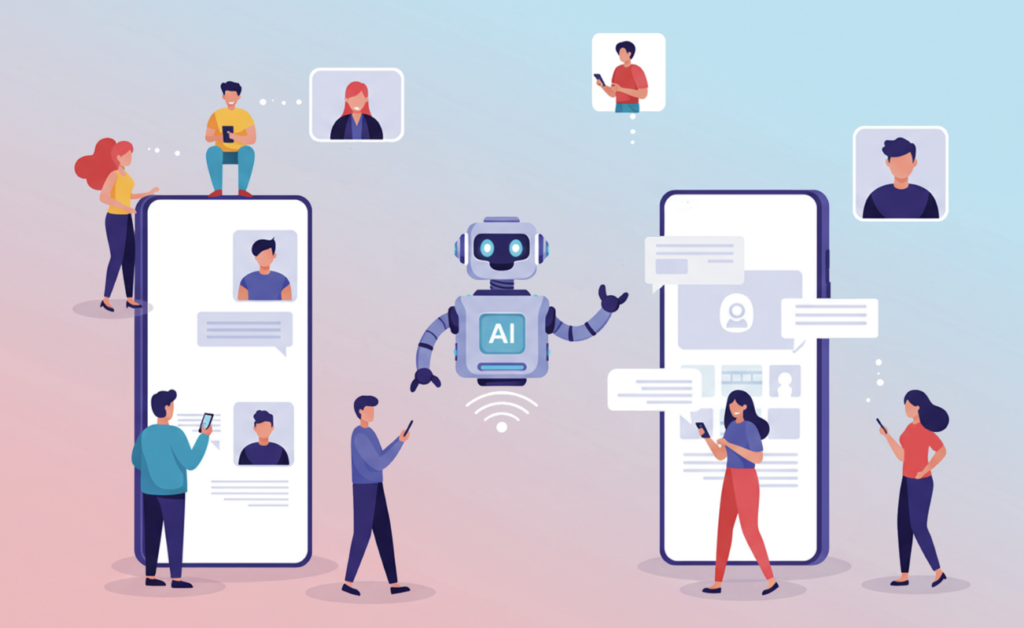
Whether using an out-of-the-box agent or creating your own, it’s helpful to understand what type of AI agent you need. In general, there are three different categories:
- Retrieval Agents: Pull and summarize data from trusted business sources
- Action Agents: Execute simple, repetitive tasks
- Decision Agents: Analyze inputs and take next steps
Retrieval agents are your “on ramp” to realizing ROI with AI. Simply put, they help you access key business data faster. That’s where our Boyer Central Agent sits. Decision Agents are, as you might expect, the most complex.
Here are two key things to note about agents within the Microsoft world:
- They access your organization’s data in real time — and that doesn’t just mean your Microsoft solutions. Agents can integrate seamlessly with hundreds of external systems!
- They also adhere to Microsoft’s security requirements, ensuring that only authorized users can access sensitive data. This security feature is a key differentiator with Microsoft’s AI solutions.
Start by testing out Microsoft’s out-of-the-box agents to see if they can meet your needs as is. Just keep in mind that because Microsoft agents are built for a broader use case, customizations are limited. You might find out that the default agent does 75% of what you want, but a custom agent will get you the rest of the way there.
For example, if you’re wanting to edit an agent to adhere to a specific internal process, you might want to switch to a custom agent instead. Even then, Boyer’s custom agent development services start as low as $10,000, depending on the complexity of your requirements.
With agents, you can start small and win big! Plus, you can always add functionality and tweak or scale your agents as needed in the future.
Whether you’re just getting started with AI and Copilot on your own, ready to upskill your entire team or excited to build custom AI agents, Boyer is here to help. Contact us today to get started on your next step.