


Every professional services firm runs on the same two questions: who is available to do the work, and what will it cost to deliver it. Get either answer wrong and you overstaff one project while another quietly burns through budget. Copilot Dynamics 365 Project Operations is Microsoft’s answer to that problem: an AI layer built directly into the tool professional services firms already use to staff, schedule, and forecast project work.
This isn’t the general Copilot many firms already use for email or meeting notes. It’s purpose-built for the people managing project staffing, capacity, and budgets, and it works the same way regardless of which financial platform your firm runs – Microsoft Dynamics 365 Business Central or Dynamics 365 Finance & Supply Chain Management (F&SCM).
Key Takeaways
- Copilot inside Dynamics 365 Project Operations generates task plans, risk assessments, and status reports automatically, and includes preview agents for time entry, expenses, and activity approvals.
- Project Operations connects to both Business Central and Dynamics 365 Finance & Supply Chain Management (F&SCM), so its Copilot resourcing and forecasting tools apply no matter which platform runs your firm’s financials.
- Copilot handles planning and reporting, while Project Operations’ skills-based scheduling handles staffing. Together they help surface underused mid-level staff instead of defaulting to your busiest senior people.
- Microsoft’s 2026 release wave 1 adds a staffing timeline and what-if analysis on project estimates, with bulk booking tools in preview, for more reliable resourcing and forecasting.
- Gartner predicted in 2019 that AI would handle 80% of today’s project management tasks, including data collection and reporting, by 2030.
- AI resourcing tools only pay off with clean data and real change management. In an April 2026 Gartner survey, only 28% of AI initiatives fully met ROI expectations.

What Does Copilot in Project Operations Automate?
Copilot for Project is the AI layer built natively into Dynamics 365 Project Operations. According to Microsoft’s own documentation, it currently covers four core capabilities, plus three additional agents Microsoft has moved into preview.
- AI-generated task plans. Give Copilot a project name and description, and it drafts up to 100 tasks with suggested durations and start dates in minutes, instead of the hours a project manager would spend building a work breakdown structure by hand. Every AI-suggested task is flagged as such and stays fully editable.
- Risk assessments and mitigation suggestions. Once actuals are logged, Copilot analyzes scope, schedule, and budget data to flag likely risks and recommend mitigation steps, a pattern a project manager juggling several accounts might not catch manually until it’s already a problem.
- Automated status reports. Copilot builds both internal reports, which include budget and financial detail, and client-facing external reports, from the same underlying project data.
- An interactive chat assistant. Project managers can ask Copilot direct questions about a specific project’s plan, risks, or status and get a contextual answer, which shortens onboarding for anyone picking up an account for the first time.
Microsoft has also moved three more capabilities into preview, according to the Dynamics 365 Project Operations product page: a Time Entry Agent that drafts time entries automatically, an Expense Agent that converts receipts and trip details into draft expense reports, and an Activity Approvals Agent that flags entries needing review so approval backlogs don’t pile up.
How Does Project Operations Connect to Business Central or F&SCM?
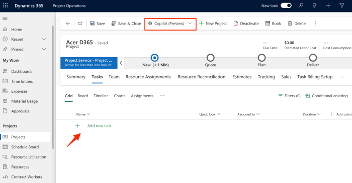 Dynamics 365 Project Operations runs on Microsoft Dataverse, the platform layer project managers and resource managers work in day to day. On the back end, it’s designed to connect to whichever financial system a firm already runs, not to force a switch.
For firms on Dynamics 365 Finance & Supply Chain Management (F&SCM), Project Operations uses dual-write, Microsoft’s native integration, to sync project estimates, actuals, invoices, and vendor costs directly with Finance in near real time.
For firms on Business Central, the connection runs through Business Central’s native Dataverse integration, which Microsoft built specifically to connect Business Central to other Dataverse-based applications. Purpose-built connectors, like the Project Operations-Business Central integration module listed on Microsoft AppSource, extend that connection to sync project billing and revenue data between the two systems.
Practically, that means a firm doesn’t have to replace its financial system to get Copilot’s resourcing and forecasting benefits. Boyer’s implementation teams set this integration up for clients on either Business Central or F&SCM, and every AI feature described in this post applies the same way in both cases.
How Does Project Operations Improve Resourcing Decisions?
Resourcing has traditionally defaulted to whoever is most senior or most familiar to the project manager. Copilot doesn’t make staffing calls itself. The resource management tools it sits alongside in Project Operations are built to change that default.
- Microsoft describes Project Operations as matching people to projects based on skillsets, according to the product overview, rather than job titles or habit, which helps surface qualified mid-level or underutilized staff a project manager might otherwise overlook.
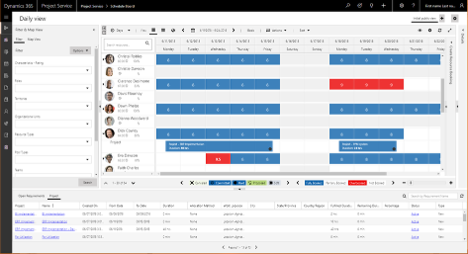
- Universal resource scheduling gives project and resource managers visibility into availability across the whole firm, not just the people on their own accounts.
- Microsoft’s 2026 release wave 1 plan adds a timeline view of current and upcoming staffing (generally available October 2026) and bulk booking tools on the schedule board (in preview, with general availability planned for March 2027), so resource managers can see utilization gaps and fix them in one view instead of piecing it together across spreadsheets.
Forecasting That Updates as Reality Changes
Traditional resource forecasting means a spreadsheet that’s accurate the day it’s built and stale within a week. Copilot-supported forecasting in Project Operations is designed to work differently.
- The platform generates budget and time snapshot forecasting instead of a single static number, so a project’s financial picture updates as actuals come in rather than waiting for the next monthly close.
- The 2026 release wave adds what-if analysis directly on project estimates (generally available September 2026) and multiple budget drafts (in preview since August 2026), so a project manager can compare scenarios (adding a resource, adjusting scope, extending a timeline) before committing to one.
These forecasting tools work whether the underlying financial data lives in F&SCM or syncs over from Business Central, which is the point of a platform-neutral resourcing layer: the forecast is only as good as the data feeding it, not the ERP badge on the login screen.
Why AI Resourcing Tools Don’t Pay Off
Turning Copilot on is not the same as getting value from it. A Gartner survey of more than 780 infrastructure and operations leaders, published in April 2026, found that only 28% of AI initiatives fully meet ROI expectations. Among leaders who reported at least one failed AI initiative, 57% said it failed because they expected results too fast.
That tracks with what we see across Dynamics 365 implementations generally. Copilot’s resourcing suggestions are only as good as the skill data, utilization records, and logged actuals behind them. A firm that hasn’t kept resource skill profiles current, or that logs time inconsistently, will get resourcing and forecasting suggestions that reflect that gap, not better ones. Boyer starts every AI rollout with a data quality and change management review for exactly this reason, before turning features on.
Getting Started with Copilot in Project Operations
- Confirm resource and skill data is current. Copilot’s resourcing suggestions are only as accurate as the profiles and utilization records already in the system.
- Map out how Project Operations will connect to your existing Business Central or F&SCM environment, or plan for that integration as part of a broader implementation if you’re not running Project Operations yet.
- Start with one or two Copilot features, like task plan generation or status reporting, before turning on every capability at once.
- Build a short change management plan for the project managers who are used to building plans and reports by hand. Adoption, not the software, is usually what determines whether the ROI shows up.
Ready to See it in Your Environment?
Want to see how this works day to day? Our team is happy to walk through your options, whether you’re already running Business Central or F&SCM, or you’re still deciding how Project Operations fits into your firm’s plans. Contact Boyer & Associates to start the conversation.
Read next: Explore more AI and Copilot resources on the Boyer blog for a broader look at where AI shows up across Dynamics 365.
Frequently asked questions
Does Copilot Dynamics 365 Project Operations work if our firm runs Business Central instead of F&SCM?
Yes. Project Operations runs on Microsoft Dataverse and connects to Business Central through Business Central’s native Dataverse integration, along with purpose-built connectors for project and billing data. Copilot’s resourcing and forecasting features apply the same way whether your financial backbone is Business Central or F&SCM.
What does Copilot automate in project resourcing and scheduling?
Copilot generates draft task plans, flags project risks with suggested mitigation steps, builds internal and external status reports, and, in preview, drafts time entries and expense reports. Copilot does not assign resources. Staffing runs through Project Operations’ skills-based resource matching and scheduling, and final decisions stay with the project and resource managers.
Is Copilot for Project the same as the Microsoft 365 Copilot our team already uses?
No. Microsoft 365 Copilot works across Outlook, Teams, and Word for general productivity tasks. Copilot for Project is a separate, purpose-built AI layer inside Dynamics 365 Project Operations, works from your project data, like tasks, risks, actuals, and budgets.
Does using Copilot for resourcing replace a project manager’s judgment?
No. Every AI-generated task, risk, or report is flagged as AI-suggested and stays fully editable. Copilot is designed to reduce the manual work behind planning and reporting, not to make staffing decisions unsupervised.
What should our firm have in place before turning on Copilot’s resourcing and forecasting features?
Current resource skill profiles, consistently logged time and expenses, and actuals entered on an ongoing basis. Copilot’s risk assessments and status reports specifically require actuals to be logged first, and resourcing suggestions are only as reliable as the skill and utilization data behind them.
About Boyer & Associates
Boyer & Associates is a Microsoft Solutions Partner and the 2023 Microsoft US Partner of the Year, implementing Dynamics 365 Business Central, Dynamics 365 Finance & Supply Chain Management, and Dynamics 365 Project Operations for professional services firms and other mid-size organizations nationwide.