


A 250-user organization came to us recently, ready to roll out Microsoft 365 Copilot to everyone. Before we turned anything on, we asked them to pause and look at where their data lived and who could open it. Our discovery turned up files in SharePoint and other systems that Copilot could have surfaced to employees who were never meant to see them.
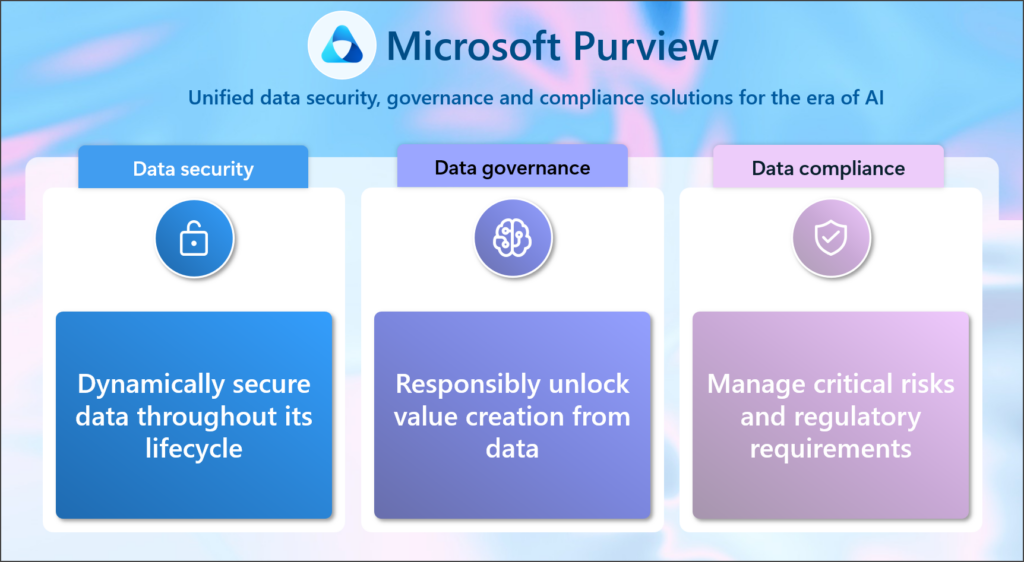
That’s the problem Microsoft Purview solves. Microsoft Purview is Microsoft’s unified platform for data governance, information protection, and compliance. It helps you find sensitive data, label it, and control who can reach it, so Copilot and other AI tools only work with information people should have. If Copilot is on your roadmap, Purview belongs on it too.
Key Takeaways
- Microsoft 365 Copilot can surface any content a user already has permission to view, so loose permissions become visible fast.
- Microsoft Purview helps you discover, classify, label, and protect sensitive data across Microsoft 365 and beyond.
- Sensitivity labels and Data Loss Prevention (DLP) policies are the core Purview tools for Copilot readiness.
- Cleaning up SharePoint permissions before a Copilot rollout is the fastest way to reduce oversharing risk.
- Boyer offers readiness assessments, fixed-rate Purview deployments, and free discovery sessions.
What Is Microsoft Purview?
Purview is a set of data governance, security, and compliance tools that works across Microsoft 365, including SharePoint, Teams, OneDrive, and Exchange Online. It also extends to Microsoft Dynamics 365, Power Platform, Azure, and many third-party data sources. Read more about Purview on Microsoft Learn.
Instead of juggling disconnected tools, Purview gives you one place to answer three questions:
- What data do we have?
- Where does it live?
- How should it be protected?
What’s included: Purview helps organizations do six things:
- Find where data lives across Microsoft and third-party systems
- Identify sensitive information such as financial records, customer data, and personally identifiable information (PII)
- Apply security and compliance policies consistently
- Monitor how data is used and shared
- Reduce risk from oversharing and insider threats
- Meet regulatory, retention, and legal discovery requirements
Why Does Data Governance Matter Before You Deploy Copilot?
Data governance matters because Microsoft 365 Copilot works with the data each user already has permission to view. According to Microsoft’s Copilot privacy documentation, Copilot only surfaces organizational data that an individual user can already access. That’s good design. It also means Copilot will find every overshared folder, stale “anyone with the link” share, and forgotten Teams site faster than any employee could.
Most organizations have some version of this problem: information scattered across systems, permissions that drifted over the years, and limited visibility into where sensitive data sits. Those gaps already create security and compliance risk. AI makes them bigger, because it makes that data much easier to find.
A real-world example of oversharing
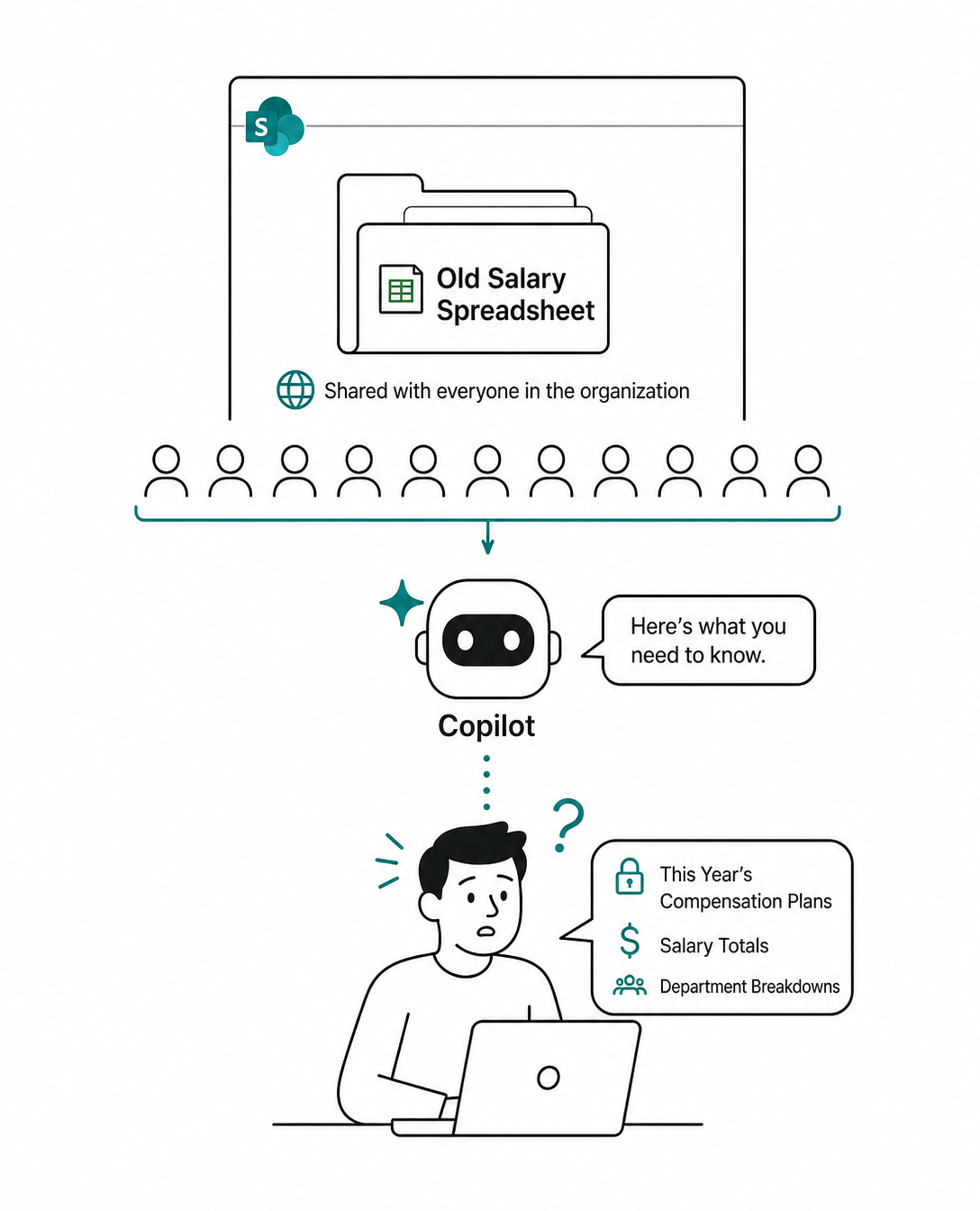
Consider a finance team that stores salary planning spreadsheets on a SharePoint site that was shared with the whole company years ago. Nobody went looking for it, so nobody noticed. Once Copilot is turned on, an employee who asks for “this year’s compensation plans” could get a summary of that file. Copilot didn’t break any rules. The permissions did.
How Does Microsoft Purview Prepare You for Microsoft 365 Copilot?
Purview gives you the visibility and controls to make sure Copilot works with the right data for the right people. Microsoft documents how these controls apply in Use Microsoft Purview to manage data security and compliance for Microsoft 365 Copilot. Here are the five Purview capabilities that matter most for Copilot readiness:
- Data classification: Automatically identifies sensitive information such as financial records, customer data, employee records, and PII, so you know what needs protection.
- Sensitivity labels: Classify and protect documents and emails with labels such as Public, Internal, Confidential, or Highly Confidential. Labels stay with the file, and Copilot respects the encryption and usage rights they apply.
- Data Loss Prevention (DLP): Prevents sensitive information from being shared, emailed, or exposed outside the organization. DLP policies can also keep Copilot from processing content with specific sensitivity labels.
- Compliance and risk management: Supports retention policies, eDiscovery, audit, and insider risk monitoring, including for Copilot interactions.
- Supporting AI Readiness: Many organizations find that before implementing AI broadly, they need a better understanding of their data environment.
What Does a Purview Rollout Look Like?
A Purview rollout starts with understanding your environment, not with switching on policies. Here’s the four-step approach Boyer uses:
- Discovery. We review Microsoft 365 and non-Microsoft systems to find where sensitive data lives and who can access it.
- Risk identification. We flag locations Copilot could reach where some employees have access to files they shouldn’t see.
- SharePoint remediation. We lock down permissions on overshared sites and libraries first, because that’s the fastest way to shrink exposure.
- Purview implementation. Now we roll out Purview to classify and protect your data going forward.
The order matters. Labels and DLP policies work best on top of a clean permission structure. Microsoft’s own SharePoint best practices for Copilot follow the same logic: fix oversharing, then protect what’s left.
Is Microsoft Purview Only a Compliance Tool?
No. Many organizations first see Purview as a compliance checkbox, but it works best as the foundation for data governance, security, and AI readiness. As you invest more in Microsoft 365, Microsoft Dynamics 365, Power Platform, and Copilot, knowing where your data is and who can reach it becomes a business requirement, not an IT side project. Organizations that set up governance now will reduce risk and move faster on AI later.
How Boyer Can Help with Microsoft Purview and Copilot Readiness
Boyer & Associates helps organizations assess data governance readiness, find security and compliance gaps, and build roadmaps for secure AI adoption. With 30+ years of Microsoft experience and recognition as the 2023 Microsoft US Partner of the Year, our team works with you from discovery through deployment. Learn more about our AI and Copilot services.
There are three ways to get started:
- Readiness assessment and roadmap: A full review of your data environment and a plan for rolling out Copilot safely.
- Fixed-rate Purview deployment: A defined-scope, fixed-price Purview rollout for organizations that already know what they need. Download Boyer’s Purview Data Security & Governance Foundation Datasheet
- Free discovery session: If neither fits, we’ll scope what’s needed and provide a quote.
Want to see what Copilot could find in your environment? Our team is happy to walk through your options. Contact Boyer or call 763-412-4300.
👉🏻 Get your data ready for Copilot with Purview and Boyer

Microsoft Purview FAQs
What is Microsoft Purview used for?
Purview is used to discover, classify, protect, and govern data across Microsoft 365 and other systems. It covers data security, data loss prevention, compliance, retention, and risk management in one platform.
Do I need Microsoft Purview before deploying Microsoft 365 Copilot?
Copilot doesn’t technically require Purview, but deploying Copilot without data governance is risky. Copilot can surface anything a user has permission to view, so Purview’s labels, DLP, and oversharing assessments help make sure that access is appropriate first.
Does Microsoft 365 Copilot respect sensitivity labels?
Yes. Copilot honors the encryption and usage rights applied by Purview sensitivity labels, and DLP policies can prevent Copilot from processing content with specific labels.
Which Microsoft 365 licenses include Microsoft Purview?
Purview capabilities vary by license. Some features are included in Microsoft 365 E3, while advanced capabilities typically require Microsoft 365 E5 or an add-on. Boyer can map what you already own to what you need.
How long does a Purview deployment take?
Timelines depend on how much data you have, how clean your permissions are, and which Purview features you need. A discovery session is the fastest way to get a realistic estimate.
Boyer & Associates is a Microsoft Dynamics 365, Microsoft 365, Microsoft F&SCM, and Microsoft Copilot partner based in Minneapolis, serving mid-size businesses and nonprofits across the United States and Canada. Named the 2023 Microsoft US Partner of the Year, Boyer helps organizations secure their data with Microsoft Purview and adopt AI with confidence.